

SaaS product design is the process of turning a software idea into a clear, usable, scalable product that people can understand and use repeatedly.
A founder may begin by asking for five dashboard screens. Then the product grows. It gains onboarding, billing, settings, integrations, user roles, permissions, tables, filters, and edge cases. What looked like a screen-design task becomes a connected system of decisions.
That is why successful software is not designed one screen at a time. The team must understand users, structure the product, test workflows, build consistent interfaces, and help developers implement the intended behavior.
This guide covers the full process, the principles that matter, the areas SaaS teams often overlook, and a practical example from Imdshakil’s portfolio.
SaaS product design: what it means
SaaS product design covers the complete experience of a software-as-a-service product, from early discovery and user research to interface design, development handoff, and post-launch improvement.
It includes:
- Product discovery
- User and market research
- Information architecture
- User flows
- Wireframes and prototypes
- User-interface design
- Onboarding
- Dashboards and data workflows
- Roles and permissions
- Billing and subscription flows
- Design systems
- Usability testing
- Developer collaboration
- Continuous iteration
If you are asking what is SaaS product design, the important distinction is scope. A marketing website mainly explains a product and encourages an action. A SaaS product helps users perform tasks, manage information, collaborate, make decisions, and return regularly.
The Interaction Design Foundation defines product design as blending user needs with business goals to create products that remain useful over time. Product design for SaaS adds subscription behavior, repeated workflows, growing feature sets, and continuous releases to that challenge.
The phrase SaaS product design meaning is sometimes reduced to “designing software screens.” A better interpretation includes every decision that shapes how the product is understood, used, built, and improved—from the first user problem to the behavior of the released interface.
Why SaaS needs a different design approach
A website and a software product can share the same brand, but they solve different interaction problems.
SaaS product UX design focuses on structure, flows, usability, and feedback across the full user relationship. SaaS product UI UX design connects that experience to visual hierarchy, components, responsive behavior, and interaction details. Strong products need both layers to support the same user goal.
Users need recurring value
A landing page may succeed when a visitor understands the offer and signs up. A SaaS product must keep helping that person after signup. Users return to create reports, manage teams, update records, review data, or complete another recurring task.
Small friction becomes expensive when it appears every day.
Different roles need different experiences
B2B SaaS product design often serves buyers, administrators, managers, operators, and invited team members. An administrator may need detailed controls, while a new user needs sensible defaults and a clear next action.
The product should reveal the right amount of complexity for each role without creating a completely different system every time.
The product never stays finished
SaaS teams release features, change plans, add integrations, and respond to customer requests. Every addition affects navigation, components, copy, permissions, and support documentation.
Without a clear system, the interface becomes a collection of local decisions that no longer feel connected.
Every action has a state
A polished default screen is only one part of the experience. Real products also need loading, empty, success, error, disabled, permission-limited, syncing, and offline states.
These states tell users what is happening and what they can do next. Missing states make reliable software feel broken.
Core SaaS product design principles
Strong SaaS product design principles help teams make consistent decisions even when features and priorities change.
Start with a real user problem
Do not begin with a list of screens. Begin with who is trying to complete what task, why it matters, and what currently gets in the way.
User interviews, product analytics, support questions, and workflow observation can reveal problems that an internal feature request misses.
Design for time to value
Users should reach a meaningful result without completing unnecessary setup. That result will differ by product: creating a first report, inviting a teammate, connecting a data source, or sending a first invoice.
Map the shortest honest path to that result, then protect it from distractions.
Reduce cognitive load
Complex products do not need to feel complex at every moment. Group related information, use clear hierarchy, provide sensible defaults, and reveal advanced controls only when relevant.
Progressive disclosure is useful when it supports the task. Hiding essential actions behind extra clicks is not simplification.
Stay consistent
The same action should look and behave the same across the product. Consistent components, terminology, feedback, and layout patterns help users build confidence and move faster.
Consistency does not mean every page must look identical. It means users should not need to relearn familiar behavior.
Give feedback for every important action
A user should know when information is saving, when a sync has finished, why an action failed, and whether a change can be undone.
Silence creates uncertainty. Clear product feedback builds trust.
Design for errors and recovery
People will make mistakes, connections will fail, and data may be incomplete. Use specific error messages, preserve user input, offer undo where possible, and explain the next step.
Support accessibility
Accessibility belongs in the design process, not at the final review. The W3C’s accessibility principles organize accessible experiences around being perceivable, operable, understandable, and robust.
Use readable contrast, visible focus states, keyboard access, clear labels, and more than color alone to communicate status.
Build for change
Good SaaS product design best practices do not predict every future feature. They create flexible foundations that allow the product to change without breaking familiar workflows.
The complete SaaS product design process
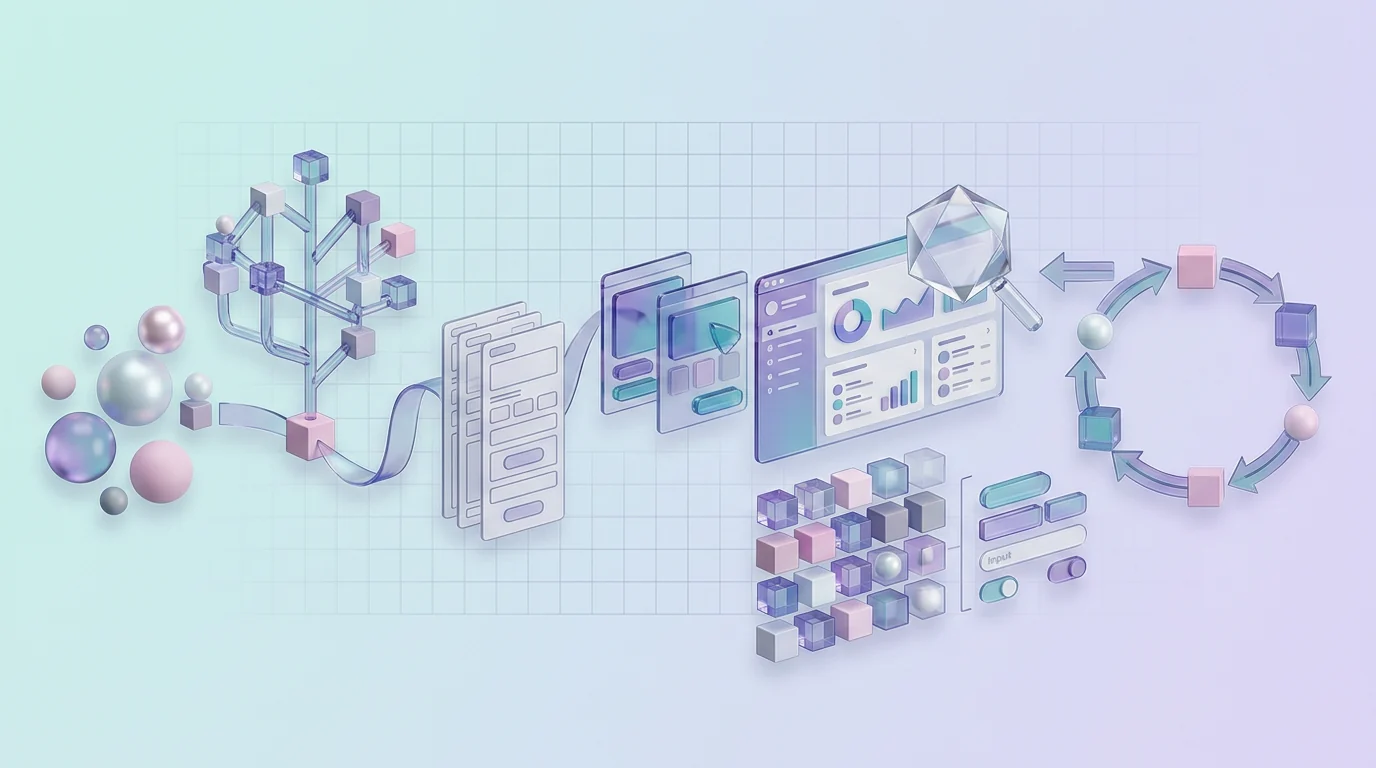
A process should reduce uncertainty, not create unnecessary documentation. The exact activities depend on product stage, risk, and available evidence.
1. Product discovery
Discovery aligns the team around the problem. Review the business model, product vision, users, current constraints, technical environment, and definition of success.
Useful questions include:
- Who uses the product?
- What job are they trying to complete?
- What happens before and after that task?
- Why does the current solution fail?
- Which assumption creates the most risk?
- What does success look like for the user and business?
2. User and market research
Research may include interviews, surveys, competitor analysis, product analytics, support tickets, sales calls, and observation of current workflows.
The goal is not to produce a large report. It is to make better product decisions with stronger evidence.
3. Information architecture
Information architecture defines how features, content, navigation, and settings are organized. It should match the user’s mental model rather than the company’s internal departments or database structure.
For SaaS, this often includes workspace hierarchy, account settings, projects, reports, billing, integrations, team management, and permissions.
4. User flows
User flows map how a person moves from an entry point to a result. Cover the ideal path and realistic alternatives:
- New signup
- Invited user
- Returning user
- Incomplete setup
- Failed payment
- Missing permission
- Empty data
- Interrupted task
A complete flow prevents teams from discovering important decisions during development.
5. Wireframes
Wireframes establish structure, hierarchy, and interaction before visual polish. They make it easier to compare directions and change the basic approach without protecting a design simply because it looks finished.
6. Interactive prototypes
Prototypes help stakeholders and users experience key flows before development. Fidelity should match the question being tested. A simple clickable structure may be enough to test navigation, while a complex interaction may need a more realistic prototype.
7. SaaS product UI design
SaaS product UI design turns the validated structure into a clear visual system. It covers typography, spacing, color, hierarchy, components, responsive behavior, microcopy, and product states.
Visual quality matters, but it should support speed, comprehension, and trust rather than compete for attention.
8. Usability testing
Give relevant users realistic tasks and observe where they hesitate, make errors, or ask questions. Avoid guiding them through the interface or asking only whether they like it.
Testing can reveal whether labels, structure, feedback, and interaction match the user’s expectations.
9. Developer handoff
SaaS product design and development should overlap throughout the project. Developers can identify feasibility issues early, while designers can clarify intended behavior before implementation.
A useful handoff includes:
- Organized screens and flows
- Reusable components and variants
- Responsive behavior
- Empty, loading, error, and success states
- Interaction details
- Design tokens
- Content rules
- Asset exports
- Acceptance notes for complex behavior
Handoff is a conversation, not a folder delivery.
10. Post-launch iteration
After release, compare the result with the original problem. Review feedback, task completion, product behavior, support tickets, and implementation quality.
SaaS product design continues because users, workflows, and the product keep changing.
Areas every SaaS product needs to design carefully
Onboarding and activation
Onboarding should help users reach a meaningful first outcome, not tour every feature. Use role or goal information only when it changes the experience. Sample data, templates, helpful empty states, and short checklists can reduce the work required to begin.
A future guide on SaaS onboarding design will cover this flow in detail.
Dashboards
A dashboard is a decision interface, not a container for every available metric. Prioritize what the user needs to notice, decide, or do. Group related information and make data context—such as date range and status—clear.
This is a major part of SaaS product dashboard design.
Forms, tables, filters, and search
Many SaaS users spend most of their time entering, finding, sorting, and updating information. Forms need clear labels and useful errors. Tables need readable structure and nearby actions. Filters should show when they are active and preserve context.
Roles and permissions
Design what each role can see, edit, approve, and share. Permission states should explain why an action is unavailable rather than simply hiding all context.
Billing and subscriptions
Plan upgrades, downgrades, trials, invoices, usage limits, cancellations, and failed payments. Clear language is especially important because billing decisions carry financial consequences.
Product states
Design the product beyond the default view. Empty states should guide the first useful action. Loading states should show progress when possible. Errors should preserve work and explain recovery.
Design systems
A SaaS product design system creates reusable tokens, components, patterns, and guidance for designers and developers. Build the smallest useful foundation and expand it through real product work.
A large library without ownership or code alignment becomes another source of confusion.
SaaS product design by product stage
| Product stage | Main design priority |
|---|---|
| Idea validation | Research and testable concept |
| MVP | Core flows and essential interface |
| Launch | Complete states, onboarding, accessibility, and handoff |
| Growth | Feature consistency and scalable components |
| Mature product | UX audits, design debt, and careful optimization |
At the idea stage, avoid polishing an untested direction. Use research and simple prototypes to validate the problem and workflow.
During the MVP, design the smallest complete experience. “Minimum” should refer to scope, not missing feedback, unusable navigation, or undefined states.
Growth introduces more roles, features, and teams. Consistency and documentation become more important. Mature products need careful change management because users already depend on established workflows.
Common SaaS product design mistakes
- Starting with visual UI before defining product structure
- Designing screens without complete user flows
- Using one onboarding journey for every role
- Treating dashboards as collections of equally important cards
- Ignoring empty, loading, error, and permission states
- Adding features without updating navigation
- Building a heavy design system before patterns stabilize
- Using inconsistent labels for the same action
- Testing only with internal stakeholders
- Delivering Figma screens without developer context
- Treating launch as the end of design
- Following trends without connecting them to user needs
The most expensive mistake is often not one bad screen. It is a weak product decision repeated across many screens and releases.
How to measure SaaS product-design quality
The right measurement depends on the problem. Useful signals can include:
- Task-completion rate
- Time on task
- Error rate
- Onboarding completion
- Time to first meaningful action
- Feature adoption
- Support questions
- User satisfaction
- Accessibility issues
- Design-system adoption
- Development rework
Do not claim that one design change caused revenue growth without considering product, marketing, pricing, engineering, and customer support. Connect UX metrics to a clear hypothesis and measure the behavior closest to the design problem.
SaaS product design example: Freno
The Freno project is a useful SaaS product design example from Imdshakil’s portfolio. The administration product brings together blog management, e-commerce operations, customer data, user roles, website settings, and page-building tools.
This kind of system needs more than attractive dashboard cards. It requires:
- Clear information architecture
- Connected workflows
- Consistent controls
- Separation between tasks and roles
- Reusable interface components
- Responsive behavior
- Developer-friendly specifications
The SaaS product design case study also shows why product context matters. Content, commerce, users, and settings affect one another, so isolated screen decisions would quickly create inconsistency.
No unverified conversion or retention results are attached to the project. The value here is the product structure and interface work itself.
Frequently asked questions
What is SaaS product design?
It is the complete process of researching, structuring, designing, testing, delivering, and improving a subscription software product.
How is SaaS product design different from web design?
Web design often focuses on communicating information and converting visitors. SaaS design supports recurring tasks, accounts, data, roles, permissions, billing, and continuous product use.
What are the main SaaS product-design principles?
Start with real user problems, reduce time to value, manage complexity, stay consistent, provide feedback, support recovery, design accessibly, and build for change.
Does every SaaS product need a design system?
Every product benefits from consistency, but not every early product needs a large formal system. Begin with basic tokens and high-use components, then expand when repeated patterns are stable.
Where can teams find SaaS product design examples?
Study real, shipped products rather than polished concept galleries. Compare how several tools solve the same problem—for example onboarding, filtering, permissions, or billing. Look at the full workflow, including empty and error states, then decide which pattern fits your own users and constraints.
How often should SaaS UX be updated?
There is no fixed schedule. Review UX when user behavior, support feedback, business priorities, technology, or product complexity reveals a meaningful problem.
Final takeaway
SaaS product design connects product thinking, user experience, visual interface, technical delivery, and continuous learning. Start with the user’s goal and the product’s core workflow. Validate the structure before investing in polish, and keep design close to development after launch.
If you are planning an MVP or redesigning complex software, explore Imdshakil’s SaaS application design services or get in touch to turn the requirements into clear flows, testable prototypes, and development-ready interfaces.

